
Ev Range Target1.0 - App Store
You'll be able to see results in few seconds.
Publisher Description
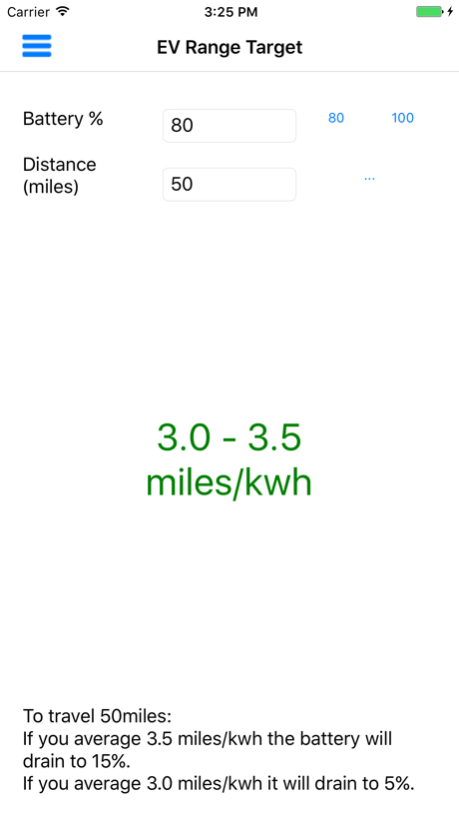
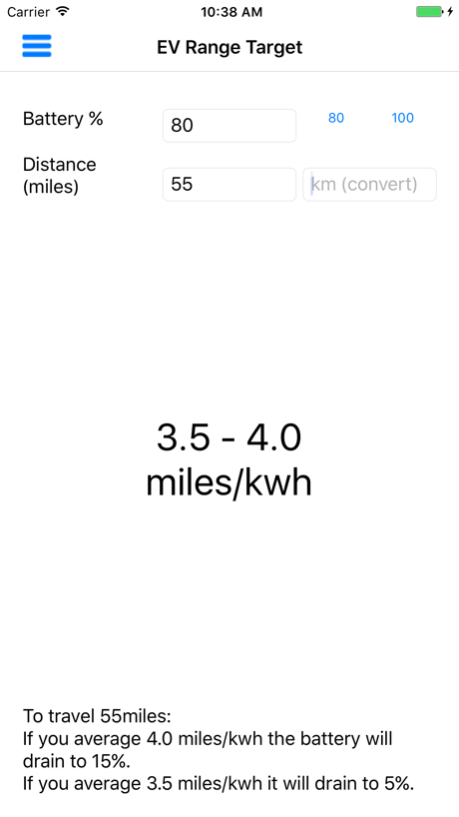

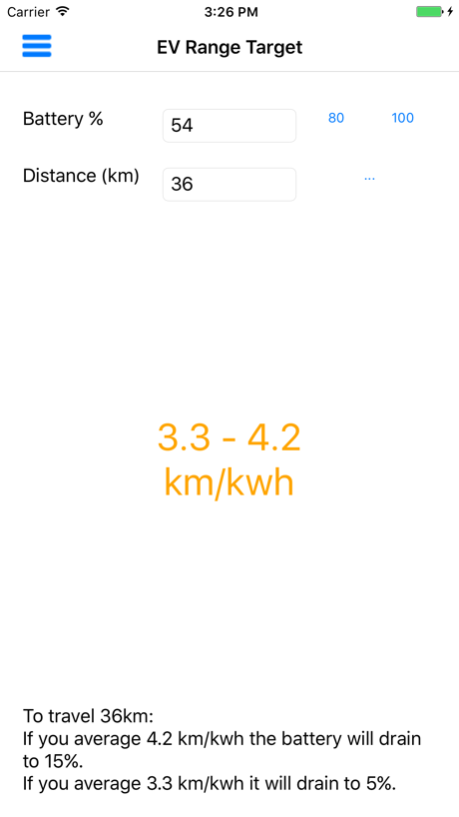
EvRangeTarget helps you get where you want to at the battery percentage you want in your electric vehicle (EV). It calculates the average mi/kwh or km/kwh energy economy/consumption you need to hit in order to get to your destination at an optimum speed, efficiency, and remaining battery level.
Set your own target percentage and low-threshold percentage, battery capacity and unit (km or miles).
How it works:
Let’s say you’ve charged to 90% and need to travel another 70 miles. Simply plug in those two numbers and it’ll tell you that at 3.7 miles/kwh you’ll arrive at 5% charge and at 4.2 miles/kwh you will arrive at 15%.
Simple as this is, it greatly reduces range anxiety and travel-time-anxiety. All you need to do now is try and keep your average energy-economy above what you need. If it dips under you need to slow down a bit. If it goes over you can afford to add a little speed. Using EvRangeTarget helps you get to know your electric vehicle’s capabilities simply and practically.
This will work with any electric car that has an energy-economy display (miles per kwh or km per kwh). Ideally an average energy economy. Electric cars such as the BMW i3 and i8, Nissan Leaf and e-NV200, Renault Zoe, VW e Golf and e-Up, Kia Soul EV, Tesla Model S, X and roadster. Hybrids such as Vauxhall Ampera, Chevrolet Volt, and Toyota Prius
miles per kwh is the electric equivalent of mpg - how far you can get for the amount of fuel or energy currently in the vehicle.
Nov 2, 2016
Version 1.0
This app has been updated by Apple to display the Apple Watch app icon.
About Ev Range Target
The company that develops Ev Range Target is Martindale Software. The latest version released by its developer is 1.0.
To install Ev Range Target on your iOS device, just click the green Continue To App button above to start the installation process. The app is listed on our website since 2016-11-02 and was downloaded 0 times. We have already checked if the download link is safe, however for your own protection we recommend that you scan the downloaded app with your antivirus. Your antivirus may detect the Ev Range Target as malware if the download link is broken.
How to install Ev Range Target on your iOS device:
- Click on the Continue To App button on our website. This will redirect you to the App Store.
- Once the Ev Range Target is shown in the iTunes listing of your iOS device, you can start its download and installation. Tap on the GET button to the right of the app to start downloading it.
- If you are not logged-in the iOS appstore app, you'll be prompted for your your Apple ID and/or password.
- After Ev Range Target is downloaded, you'll see an INSTALL button to the right. Tap on it to start the actual installation of the iOS app.
- Once installation is finished you can tap on the OPEN button to start it. Its icon will also be added to your device home screen.
Program Details
System requirements
Download information
Pricing
Version History
version 1.0
posted on 2016-11-02
Nov 2, 2016
Version 1.0
This app has been updated by Apple to display the Apple Watch app icon.
version 1.0
posted on 2016-11-02
Disclaimer
Official App Store Link
We do not host Ev Range Target on our servers. We did not scan it for viruses, adware, spyware or other type of malware. This app is hosted by Apple and passed their terms and conditions to be listed there. We recommend caution when installing it.
The App Store link for Ev Range Target is provided to you by apps112.com without any warranties, representations or guarantees of any kind, so access it at your own risk.
If you have questions regarding this particular app contact the publisher directly. For questions about the functionalities of apps112.com contact us.
